
Move the talent
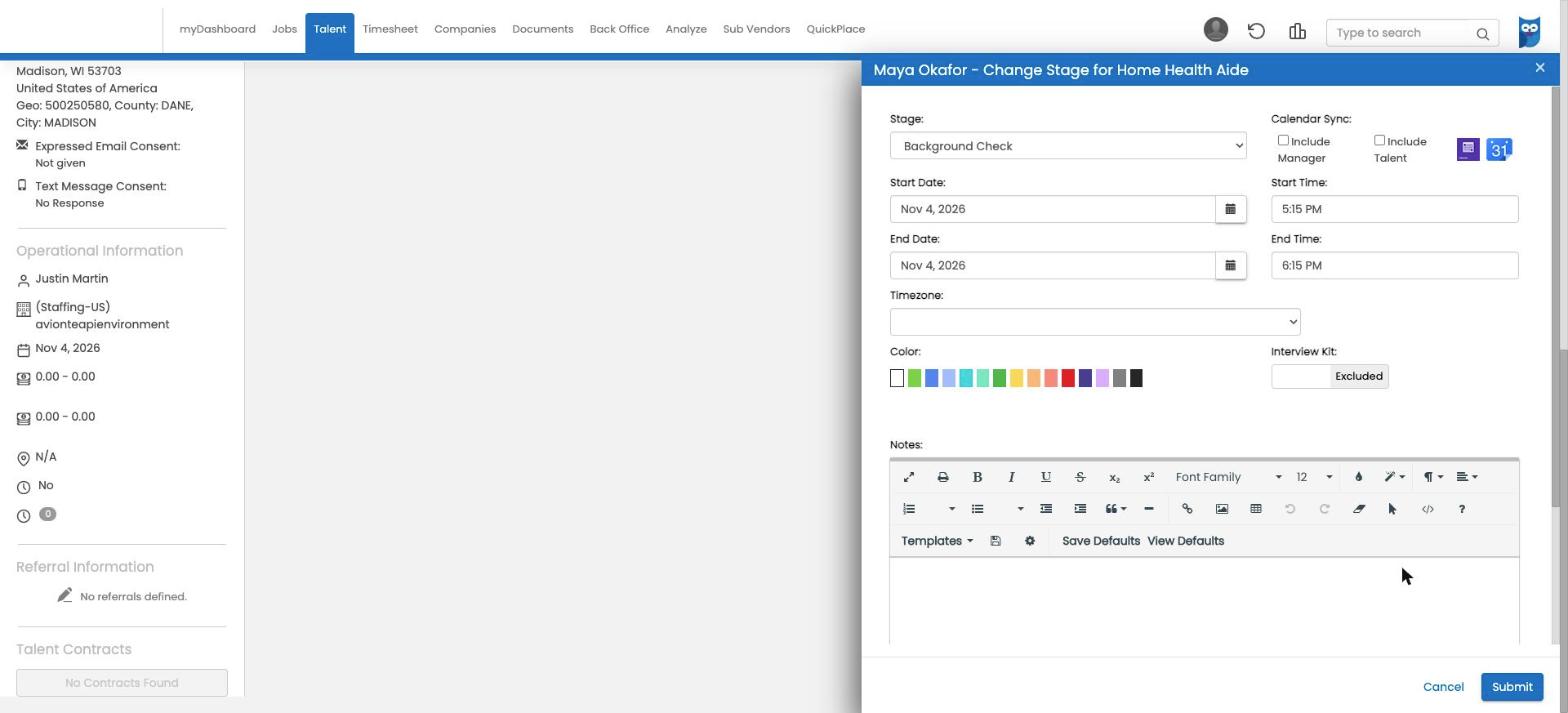
When a talent reaches the stage you choose on a job in Avionté, PSBI picks them up. No re-keying.

PSBI + Avionté · Certified integration partner
Move a talent to your screening stage and PSBI does the rest: the right requirements for the client and role, a guided intake for the talent, and updates back on the talent record.
Built to support workflow coordination and authorized human review. It does not make employment decisions.
See it in one minute
One connected workflow
Your recruiters keep working the job in Avionté. PSBI handles the screening requirements and keeps the talent record up to date.
When a talent reaches the stage you choose on a job in Avionté, PSBI picks them up. No re-keying.
PSBI reads the client company and job title to find the matching role, and turns job skills like Driver into extra requirement tags.
The talent gets an email with a secure link to complete disclosures and provide their information.
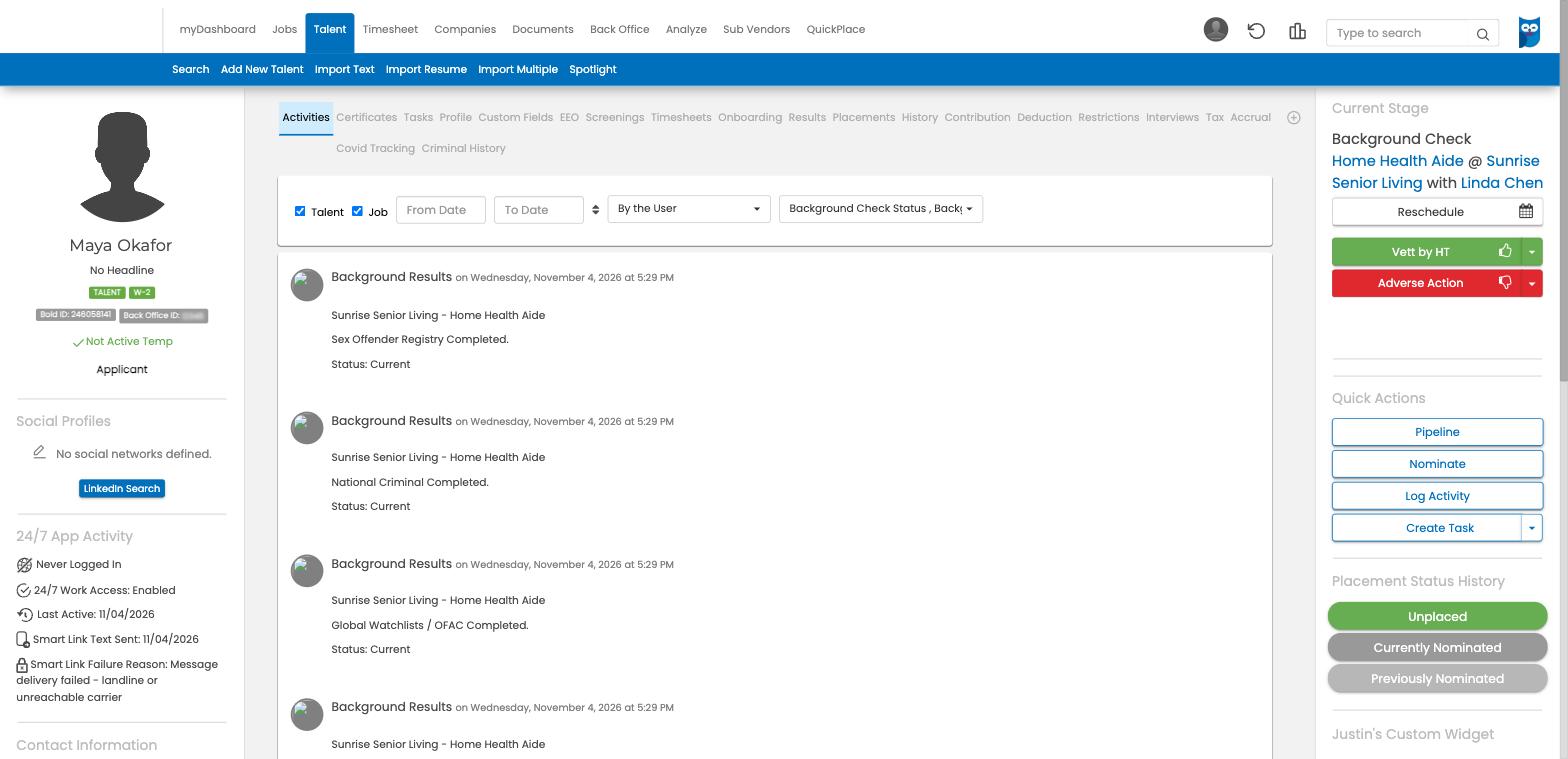
Status, results, report links and compliance updates are posted to the talent’s activity in Avionté.
What comes back to Avionté
Activity updates
Screening status, results and report links posted to the talent’s activity.
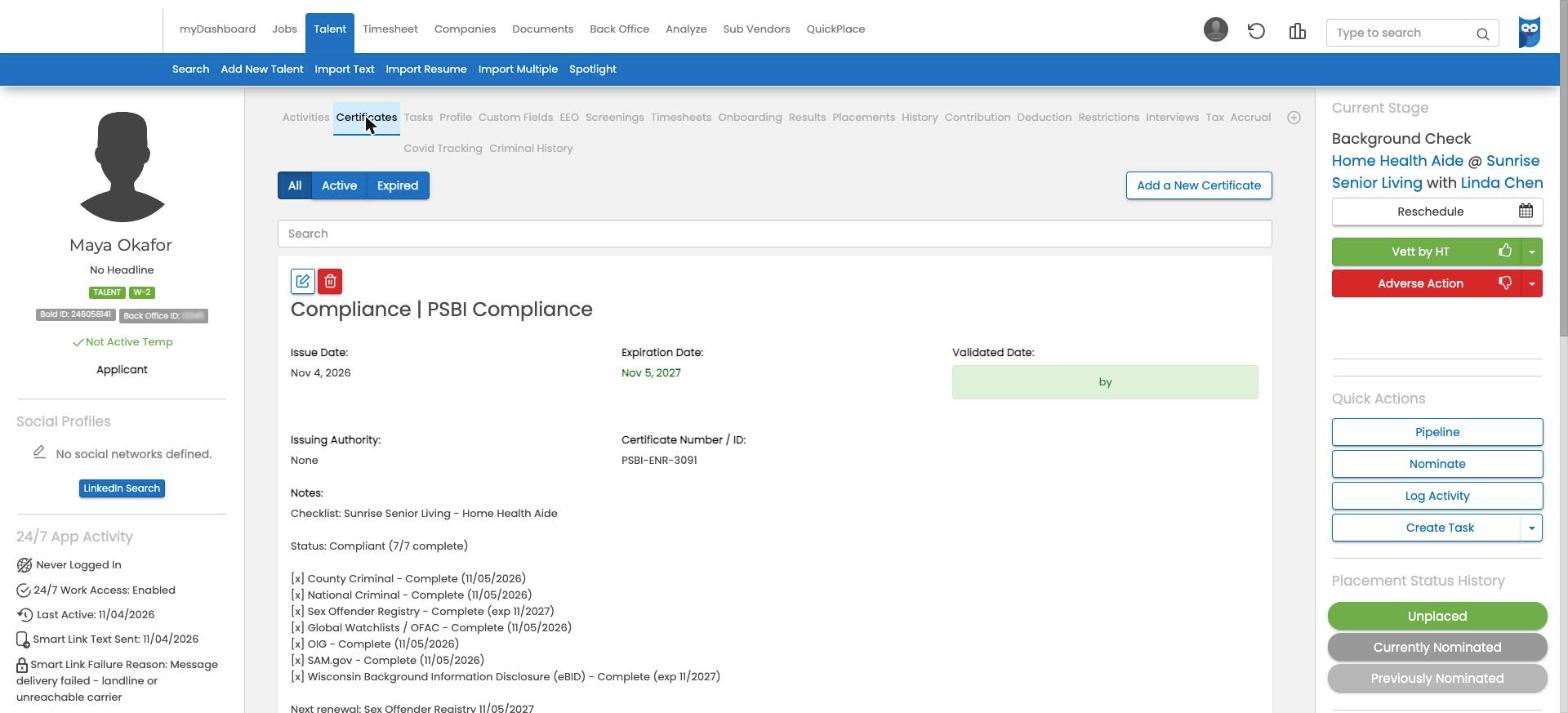
Compliance status
Kept on a PSBI Compliance certificate on the talent record: every requirement, when it was completed, and when the next renewal is due.
Stage moves
Optionally move the talent to the next stage you choose when screening events happen.
Plan your Avionté rollout
Talk with PSBI about the stage that should start screening, how your clients and job titles map to roles, and what you want to see back in Avionté.
Also on Bullhorn? See the Bullhorn integration.
Avionté is a trademark of its owner; PSBI is an independent provider.